Animate anythingAny layer in Figma, in one click
109 presets that write real keyframes on Figma's Motion timeline. Then hand your developers the same motion as CSS, JSON, or an AI prompt.
Everything moves
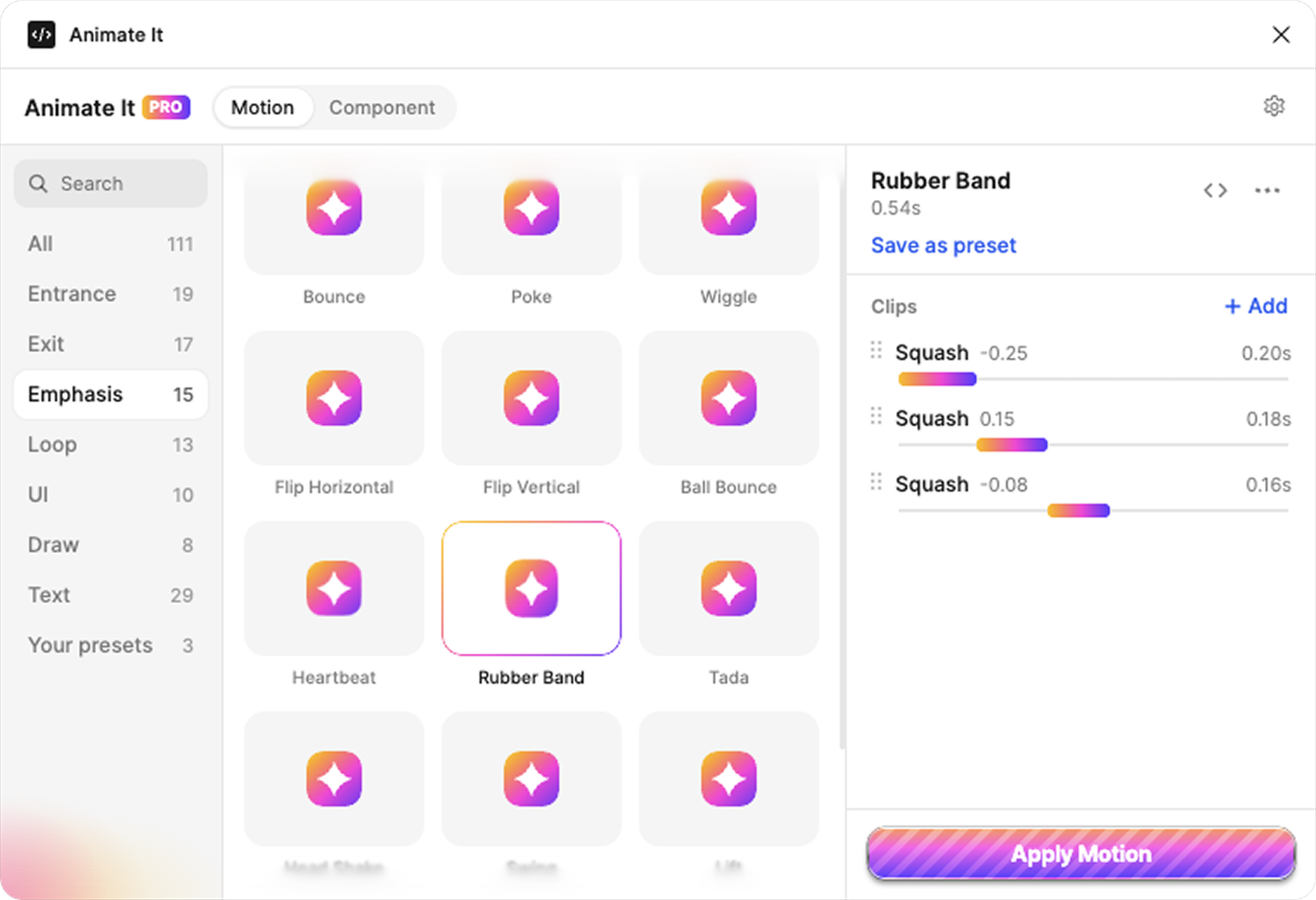
Seven categories, eighteen clips, and every preset previews live before you apply it.
Entrances and exits
Fades, flies, pops, and drops
Animate
Text, split three ways
Letters, words, or lines, staggered
Several layers
Select many, they cascade in order
UI micro-interactions
Press, like, toast, shimmer
Draw
Paths and icons that draw on
Shadow, outline, color
Animate the look, not only the place
From Figma to code
The motion you design is the motion that ships. Same times, same values, same curves.
Animate in Figma
Pick a preset, tune its clips, apply. Real keyframes land on Figma's Motion timeline.
Copy the code
The Code panel gives CSS, JSON, or an AI prompt with the exact times, values, and curves.
Paste it in your agent
Claude Code, Cursor, or Codex rebuilds it in your stack, from React to SwiftUI.
@property --ai-y { syntax: "<length>"; inherits: false; initial-value: 0px; }

@keyframes card-rise-translate-y {
  0%      { --ai-y: 40px; animation-timing-function: ease-out; }
  85.714% { --ai-y: 0px; }
  100%    { --ai-y: 0px; }
}

.card-rise {
  translate: 0px var(--ai-y);
  box-shadow: 0px var(--ai-shadow-y) var(--ai-shadow-blur) 0px
    rgb(0 0 0 / var(--ai-shadow-alpha));
  animation: card-rise-opacity 0.7s linear both,
    card-rise-translate-y 0.7s linear both, …;
  animation-delay: var(--delay, 0s);
}Free, or Pro
Start free. Go Pro when you want the whole toolbox.
Free
- 37 presets, including a few text animations
- Component mode (prototype animations)
- Fade, fly, move, scale, rotate, spin, blur, flip, and pulse
- Up to 3 clips per stack
- Live previews
Pro
Pay once, keep Pro and every update.
Activate on 3 devices
- All 109 presets, including the rest of the text presets
- Split text on any other stack
- Wiggle, hop, squash, shadow, outline, corners, color, and draw
- Unlimited clips per stack
- Save your own presets